

/product/2023/5/16/1658434357838352384/picture.png) /English/USD
/English/USD How to Start Dropshipping with JewelryODM on Shopify
Hello friend,
Thank you for your interest in our dropshipping ! We are thrilled about the possibility of partnering with you to build a successful business together.
To get started, please follow these simple steps:
1.Submit Your Application: Complete the brief application form on our website
https://www.jewelryodm.com/customer/dropshipper
2.Review & Contact: Once submitted, our team will promptly contact you via email.
3.Approval: We will review your application and notify you of the result within 1-2 business days.
4.Upon approval: You will gain full access to download our complete product data feed.
Please let me introduce the next steps:
Thank you for your interest in our dropshipping ! We are thrilled about the possibility of partnering with you to build a successful business together.
To get started, please follow these simple steps:
1.Submit Your Application: Complete the brief application form on our website
https://www.jewelryodm.com/customer/dropshipper
Loading image...
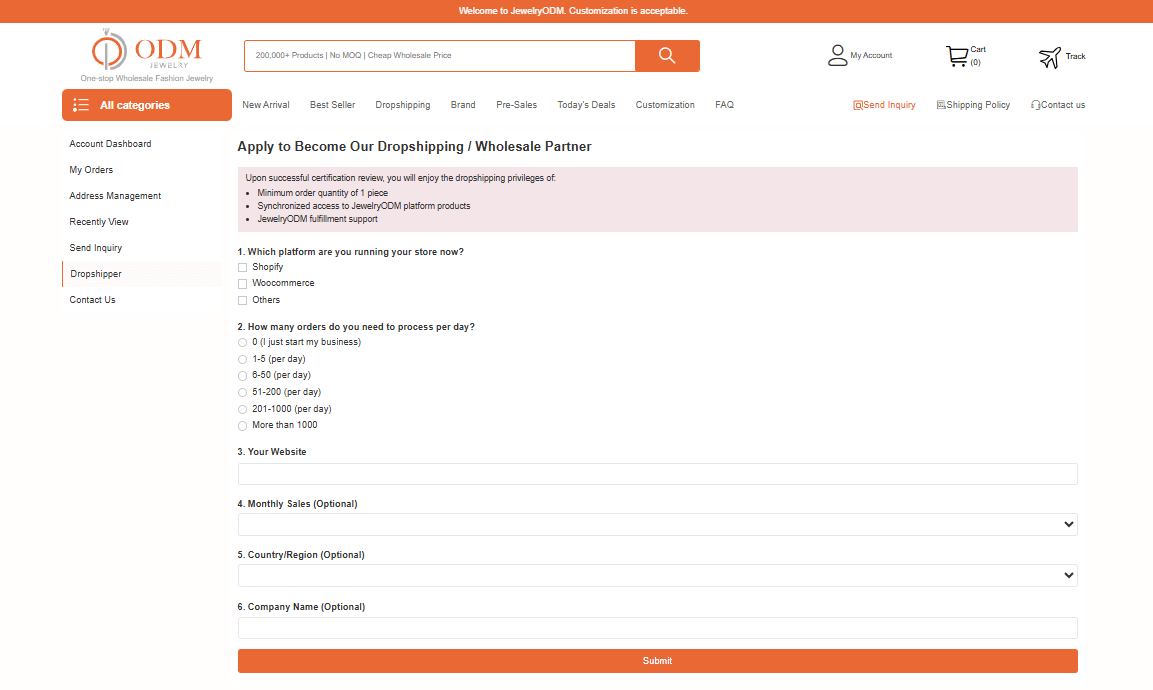
3.Approval: We will review your application and notify you of the result within 1-2 business days.
4.Upon approval: You will gain full access to download our complete product data feed.
How can you sync our products to your website?
Please let me introduce the next steps:
1. Your account will become a dropshipper

2. Install plugins
You need to install our plugin to directly download products to your own website.
https://apps.shopify.com/jewelryodm-dropshipping

3. Shopify store authorization + information verification
(1) Store Authorization

(2) Verify information
Clicking the "install" button will take you back to the dropshipping application page.
Verify your information and submit your application again.

After the review is approved, you can choose the product you like.
4. Select & Sync Products
(1) Choose your favorite item

(2) Edit product information and submit synchronously


5. Syncing Products
After clicking "publish to my store", the products will be automatically synced to your Shopify store.

6. For order
(1) From Shopify to ODM
Your customers' orders will automatically sync from your Shopify store to ODM

(2) Pay in ODM to complete
After your Shopify order is synced, the final step is to complete the payment in your ODM account.

7. Shipping
Once an order is shipped, the tracking information is automatically pushed to your Shopify store.